NASA SUITS
Designing AR tools to help astronauts complete critical lunar missions
For the NASA SUITS (Spacesuit User Interface Technologies for Students) challenge, I served as the co-president of our club at RISD. I led a team of over 20 students from RISD, Brown, and JHU, handling everything from project management and timelines to running workshops and meeting with mentors. On top of the logistics, I also set the high-level UX direction to make sure our AR solutions actually worked for complex space missions.
My role
Lead UX Designer Project Manager Design system
Timeline
Sep 2022 - May 2023
Team
RISD NASA SUITS Design
Tools
Figma Unity Microsoft Lens Miro
What are the missions of astraunauts
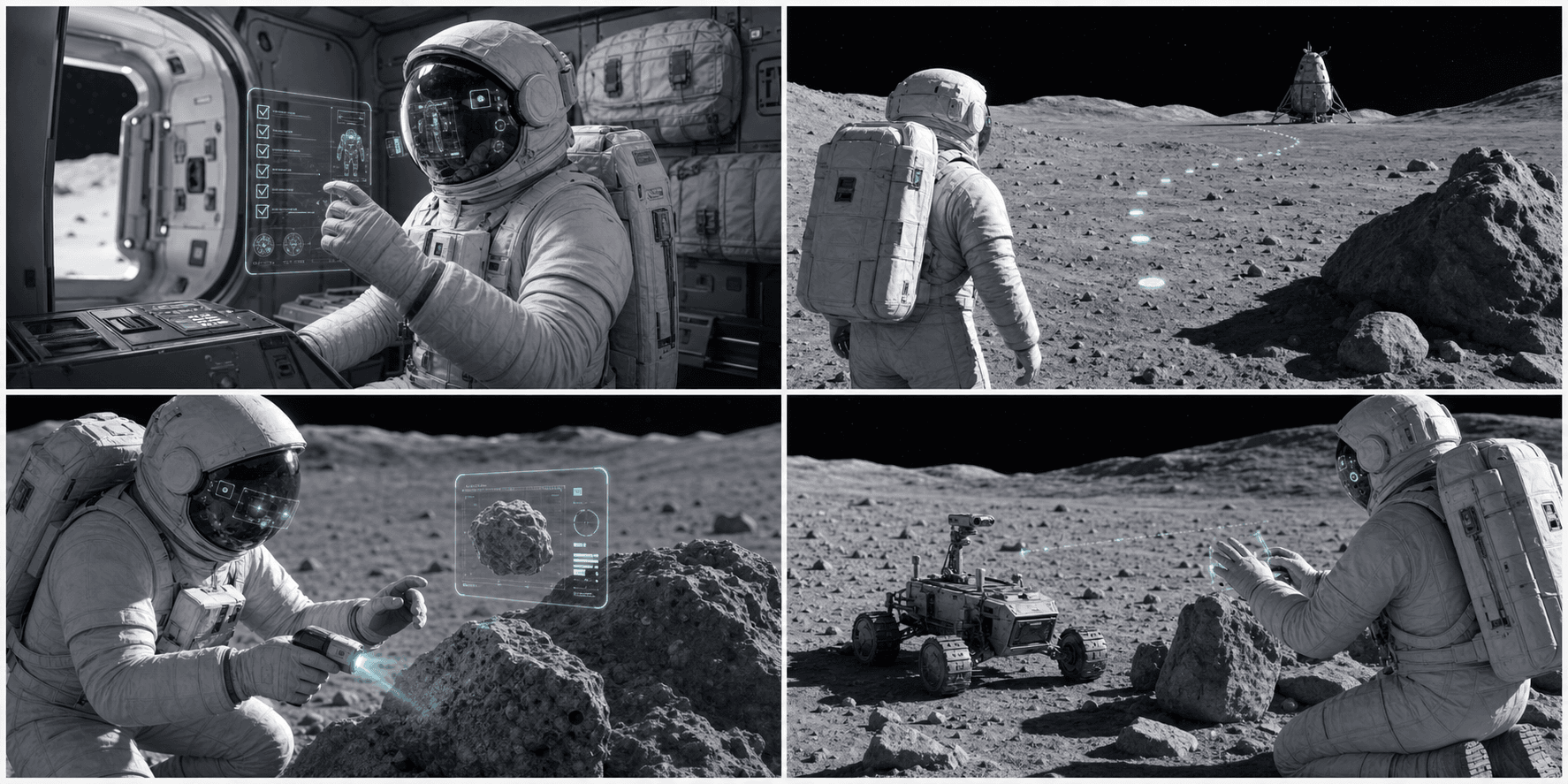
During their every quest, the astronauts need to complete these 4 following tasks under dangerous lunar environment:
01
Prepare for the mission
Astronauts will conduct series of checking lists in preparation of the lunar mission in the spacecraft
02
Navigate to point A and return home
Astronauts will navigate to a geological site and return back to spacecraft
03
Document lunar samples
At geological site, astronauts will scan rocks, take pictures, and document the lunar samples
03
Remote control rover car
Astronauts will be calling a rover car remotely to the geological site and recalling it back
How might we make the experience of completing critical mission tasks frictionless under harsh environmental and physical constraints?
AR guided navigation
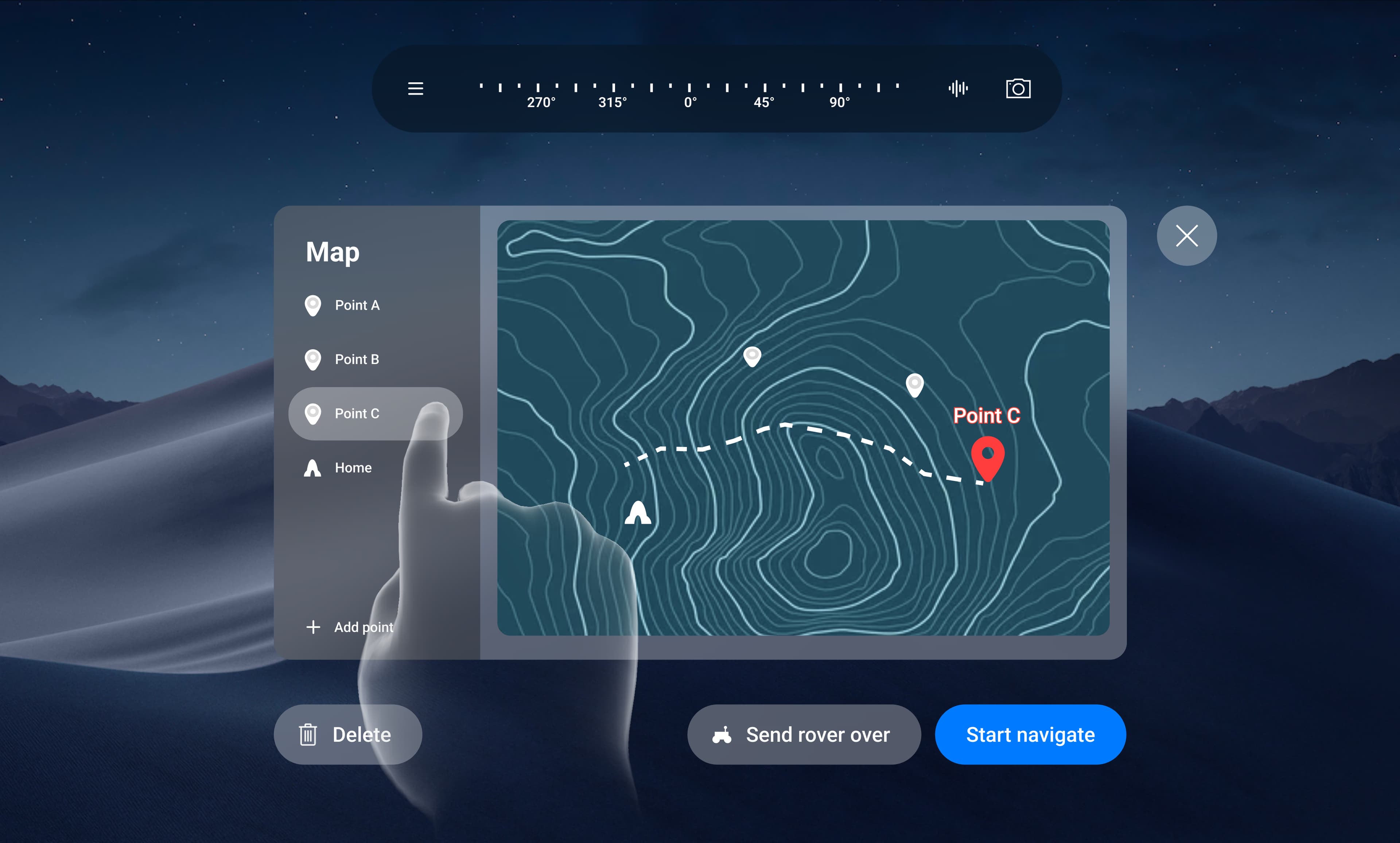
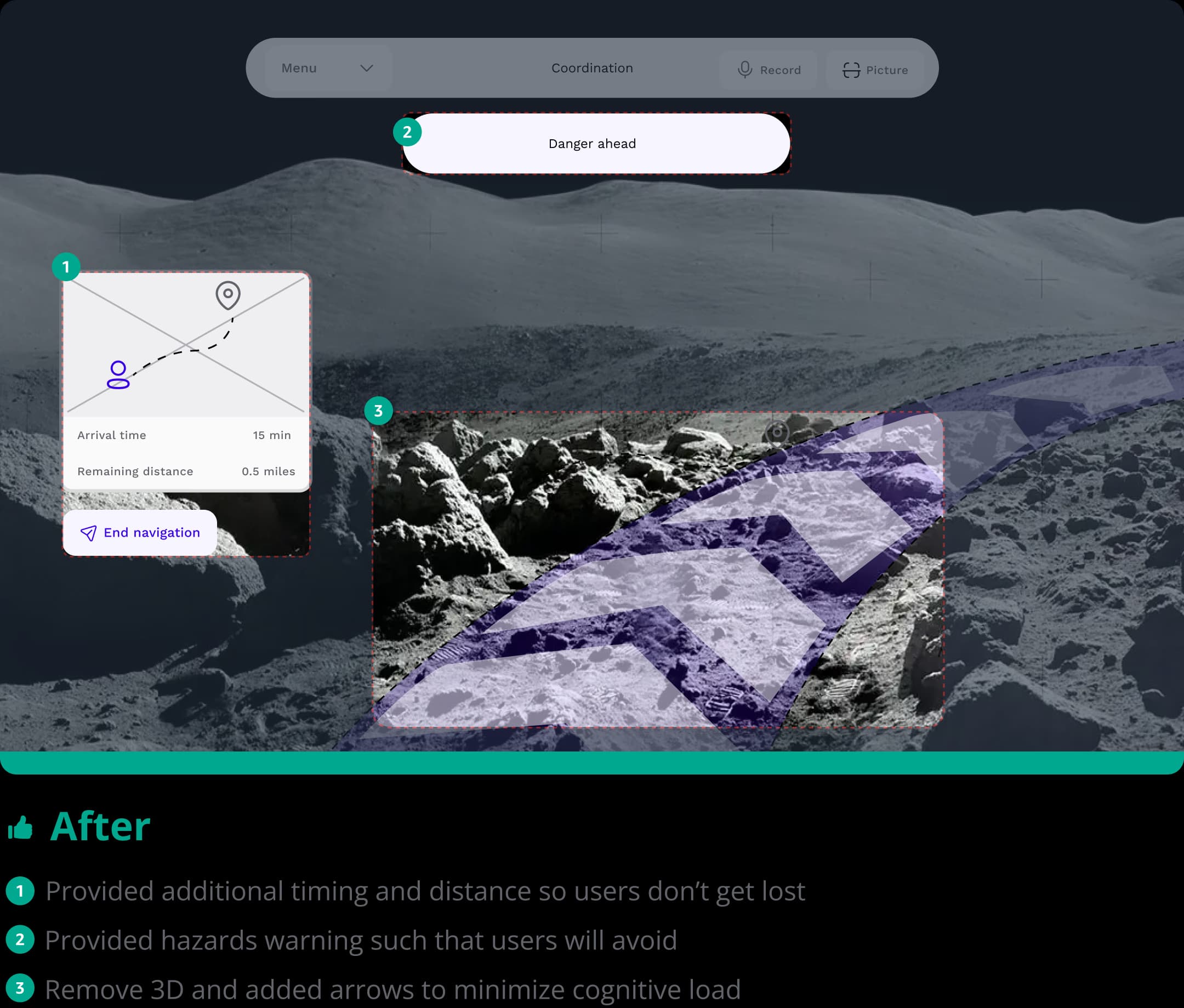
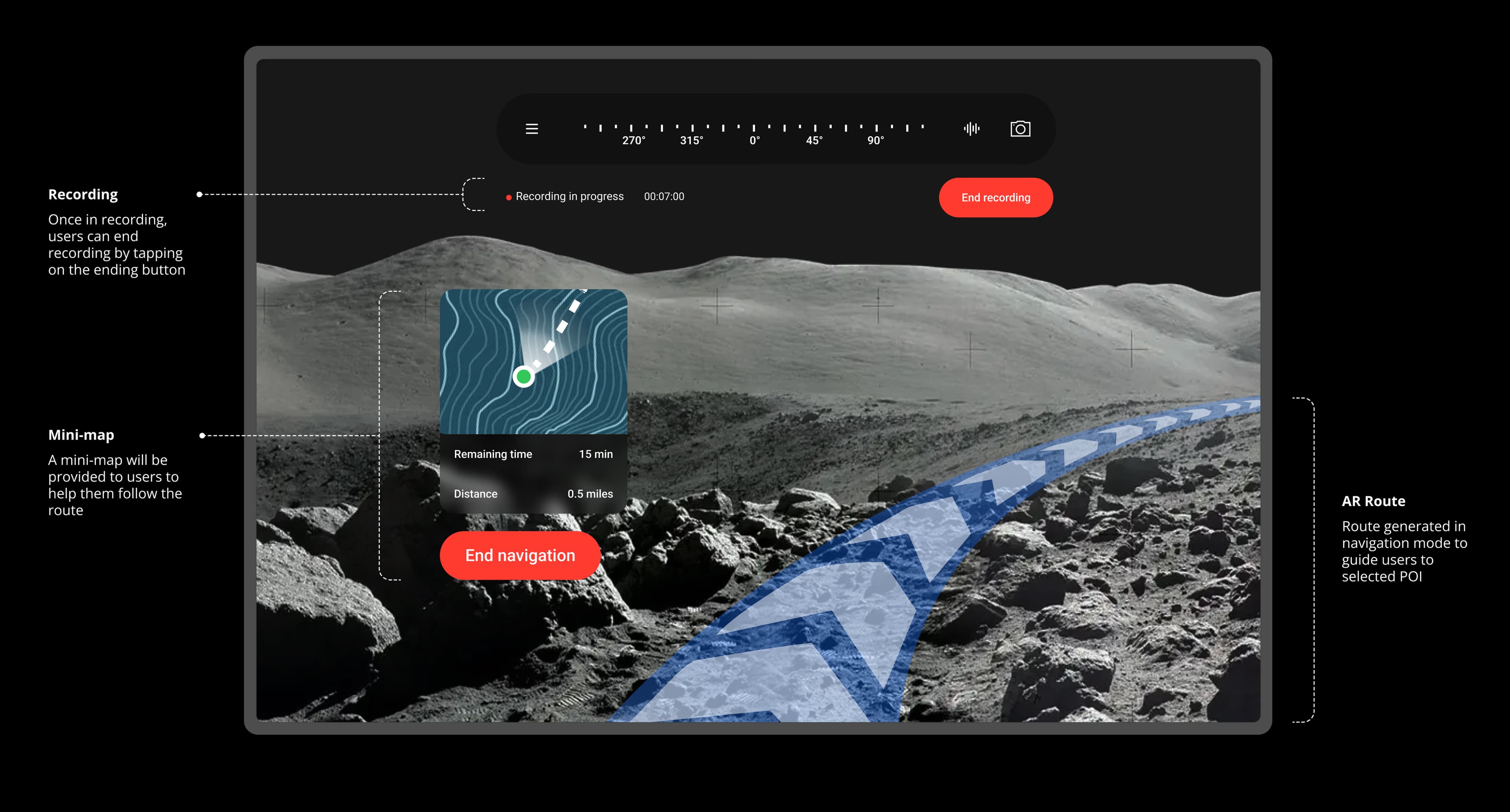
In navigation mode, a guided path appears to lead users to their selected destination. Additionally, mini-maps with estimated time and distance are provided to keep users informed of their remaining journey.
Tasks lists with progress
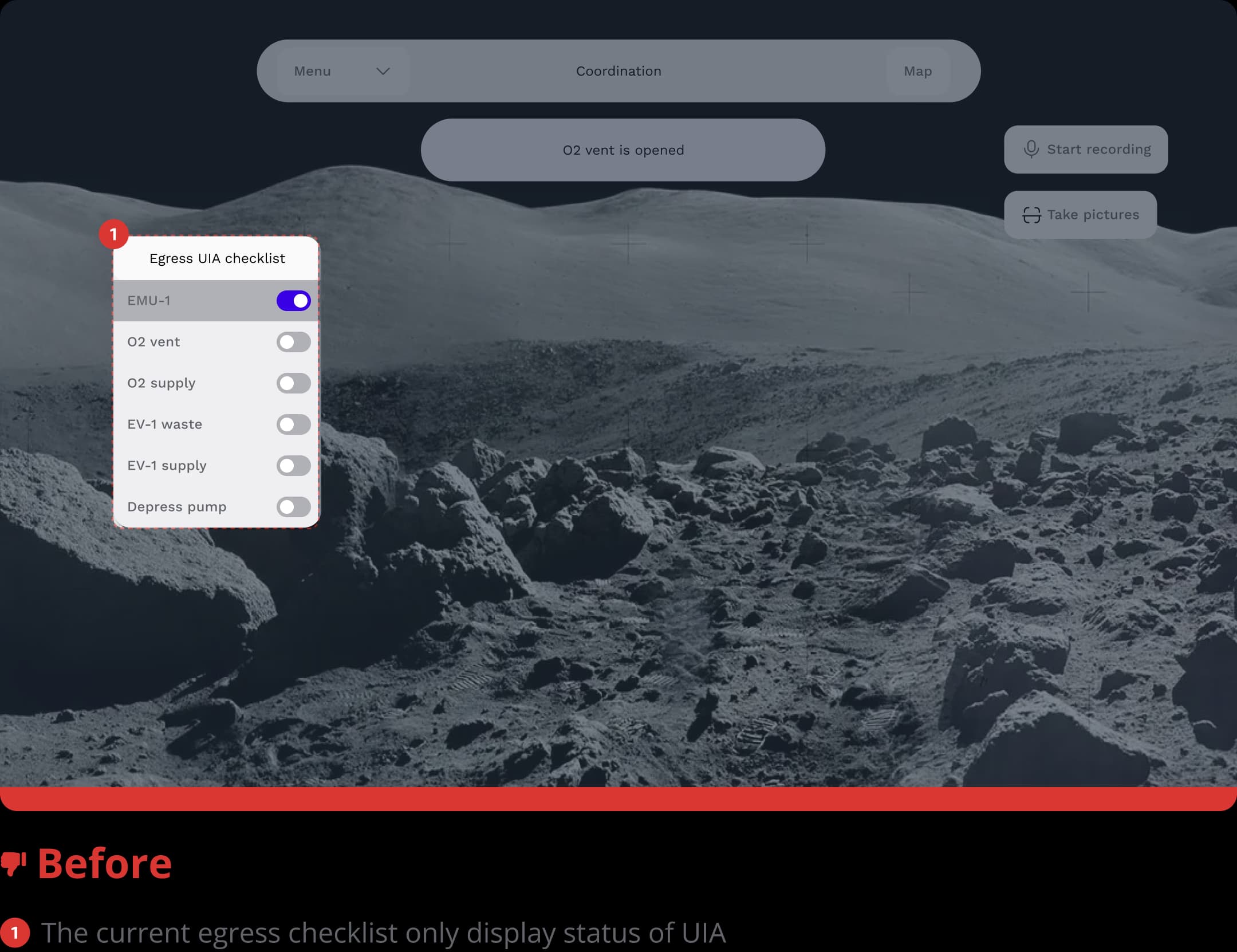
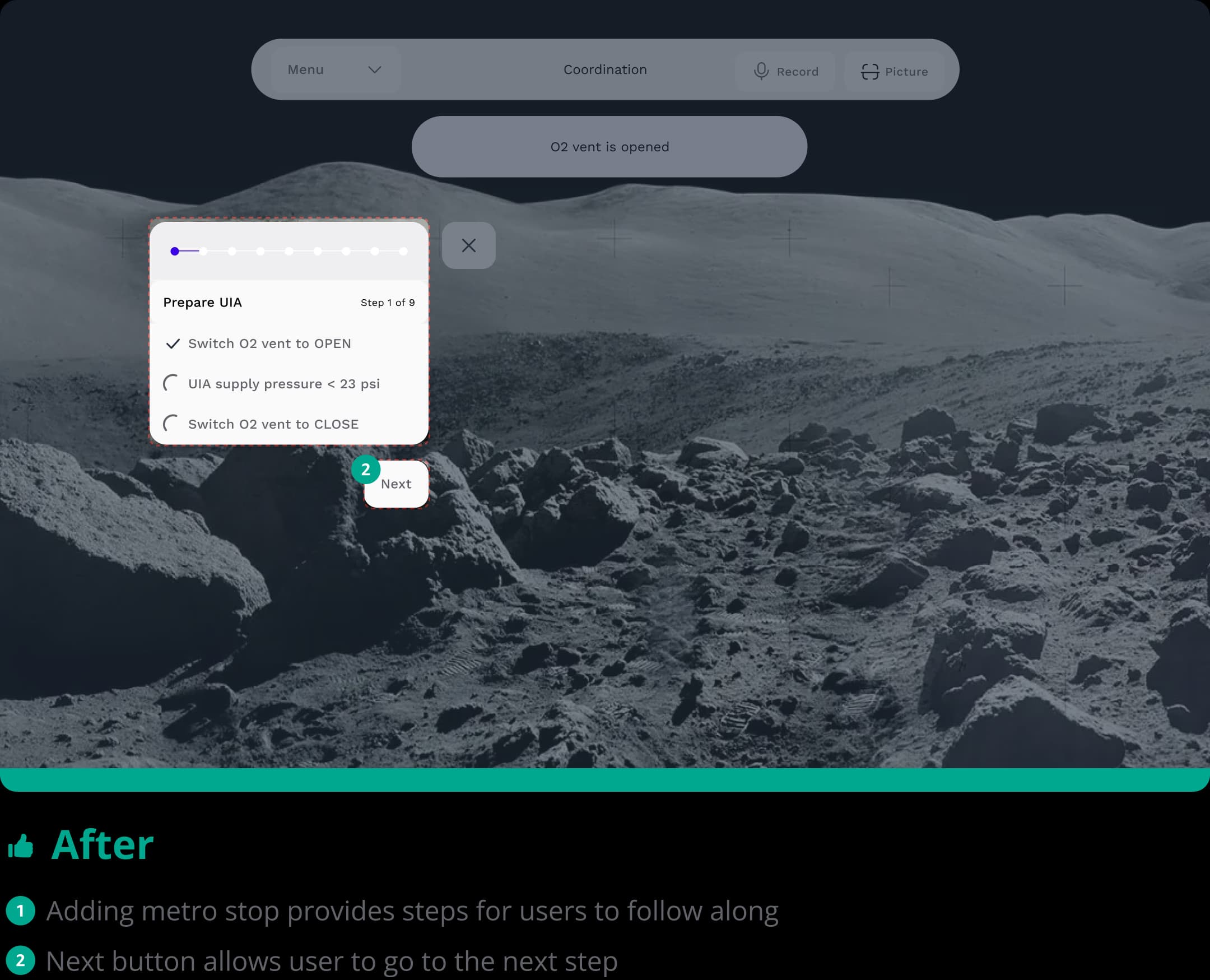
We provide users with a progress bar and task list to reduce cognitive load and ensure they complete basic settings before heading out.
Hands free documentation
In high-stress environments, precise operations are not practical. Therefore, users can easily record their voice or take pictures at any time via the accessible menu bar.
User research results & findings
To begin, I led my team in researching three distinct user groups, astronauts, field geologists, and AR specialists, synthesizing our findings into four core pain points:
01
Cognitive overload
Under high pressure and the tight schedule of lunar missions, astronauts may feel overwhelmed
02
Restricted locomotion
The highly pressurized astronaut suit makes mission tasks tougher to complete because it's more difficult to grip, walk, and move.
03
Limited field of view
Current headsets have small viewports, which makes precise tasks like texting difficult for astronauts.
03
Hazardous environment
Due to the harsh lighting conditions, it is hard for astronauts to identify hazardous craters.
User flow charts
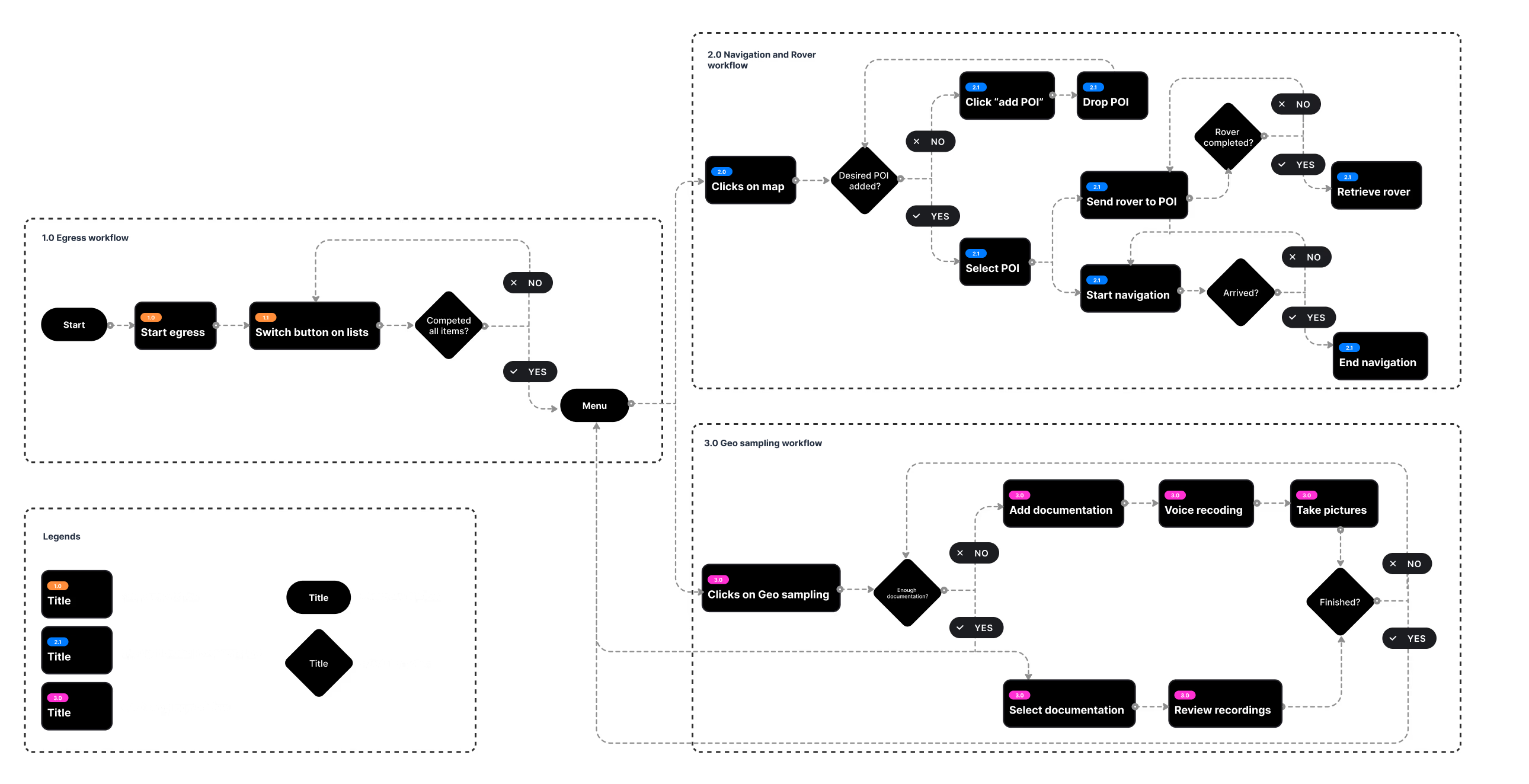
I created user flowcharts to guide the team’s design process and divided them into three groups: egress, navigation & rover, and geo-sampling. This approach clarified how astronauts would complete tasks and the necessary features to support them.
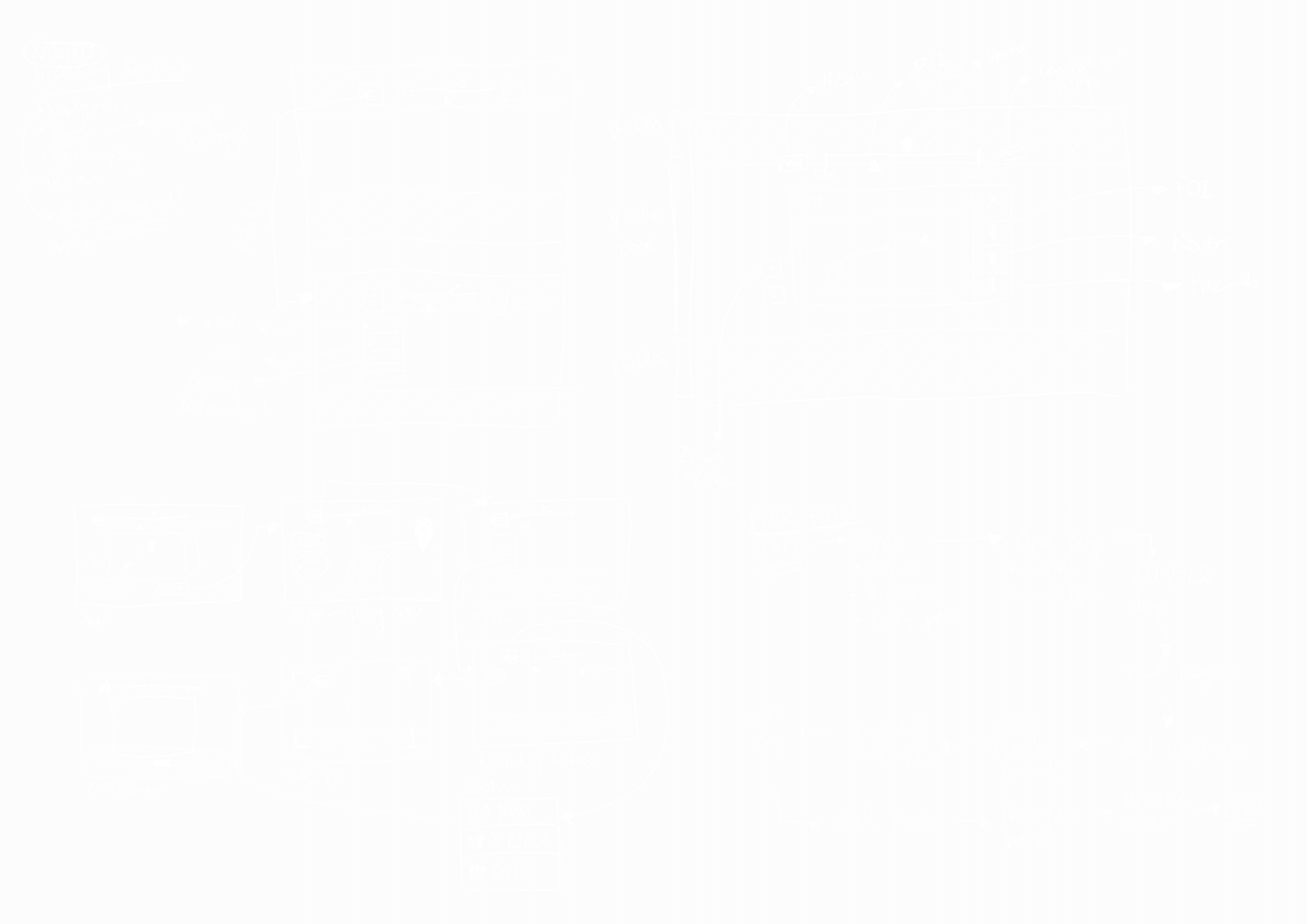
Low-fi sketches and ideas
After identifying key pain points and user flows, the teams conducted a lightning brainstorming session. I created concept sketches for each pain point.
Usability testing findings & iterations
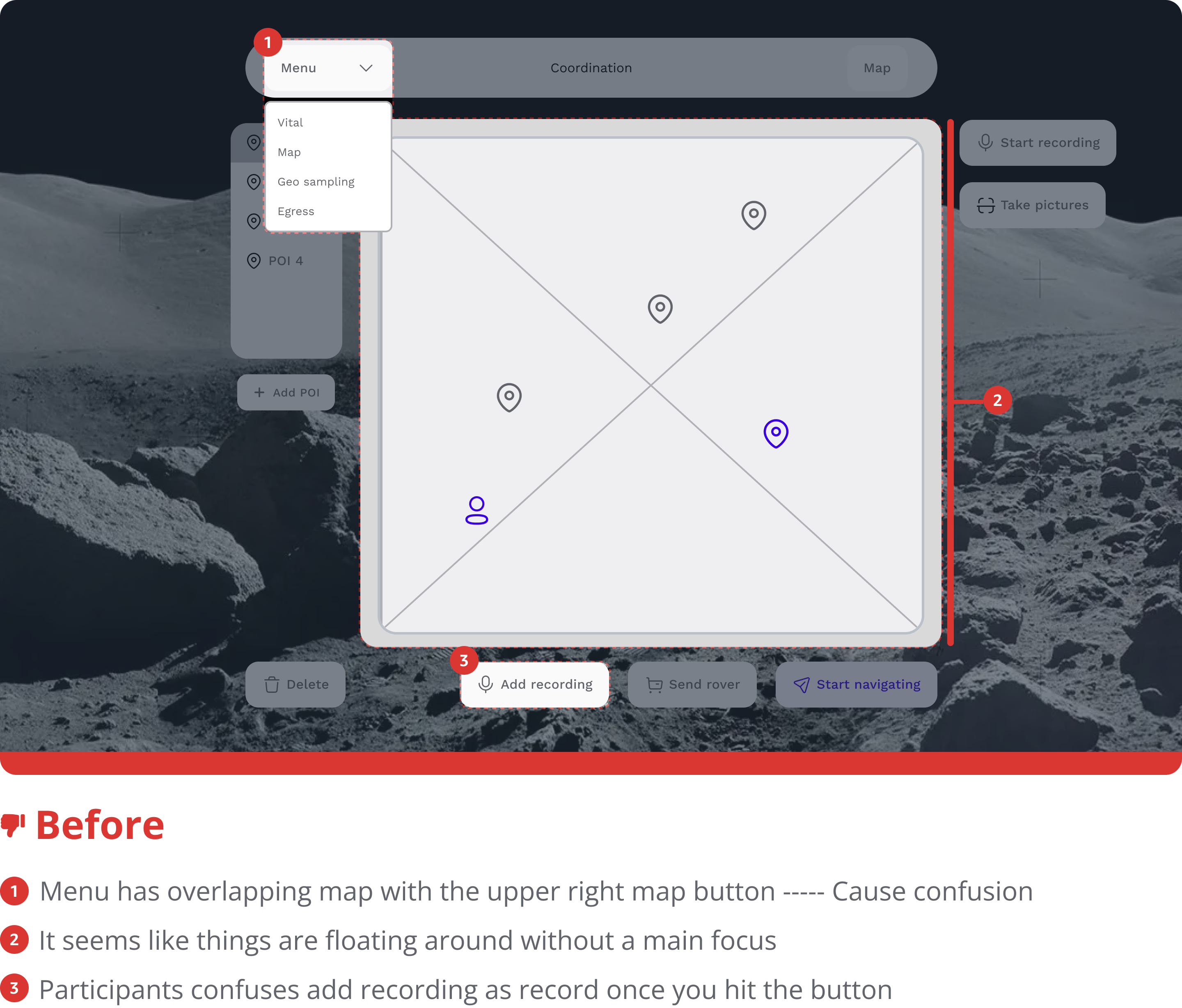
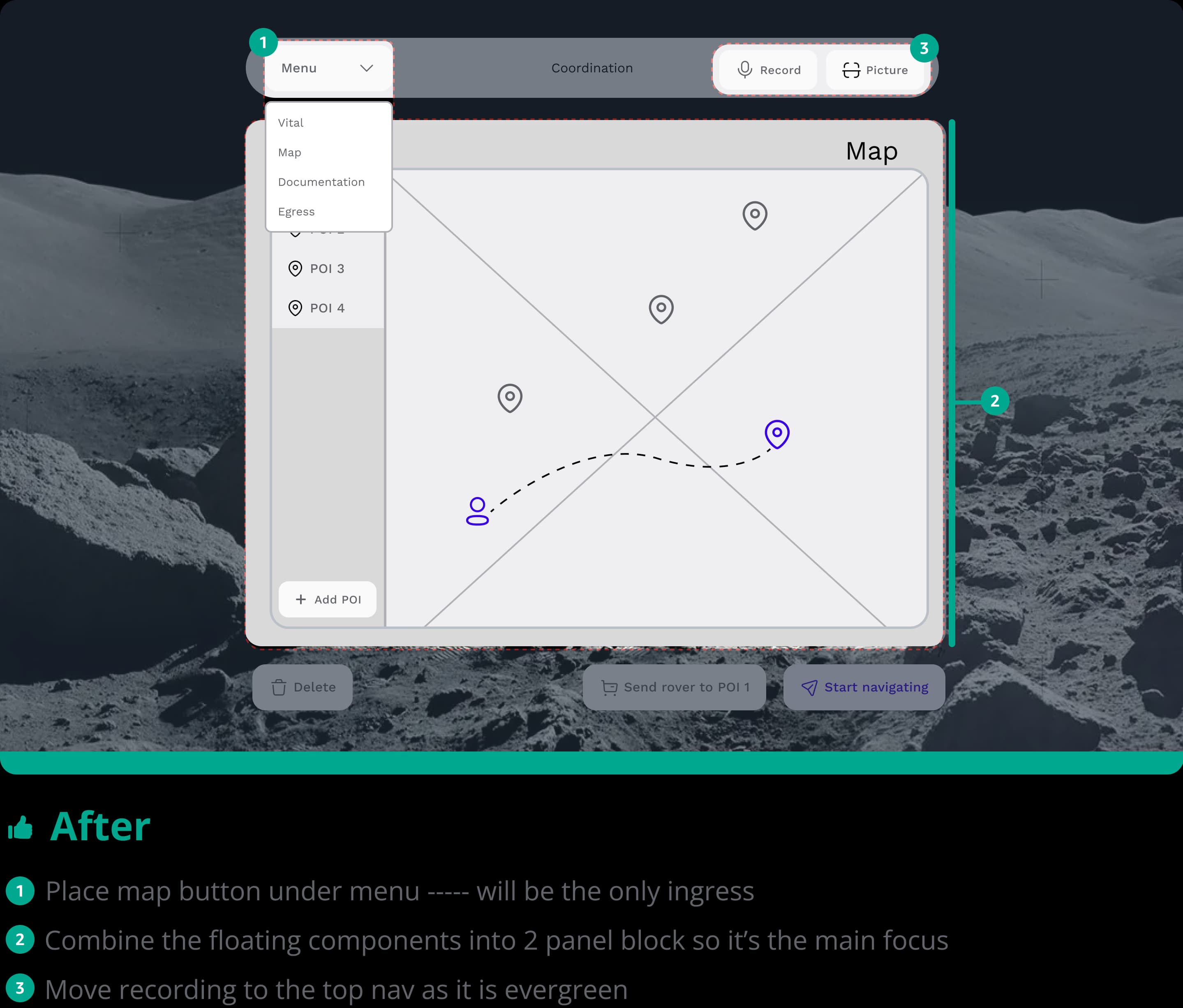
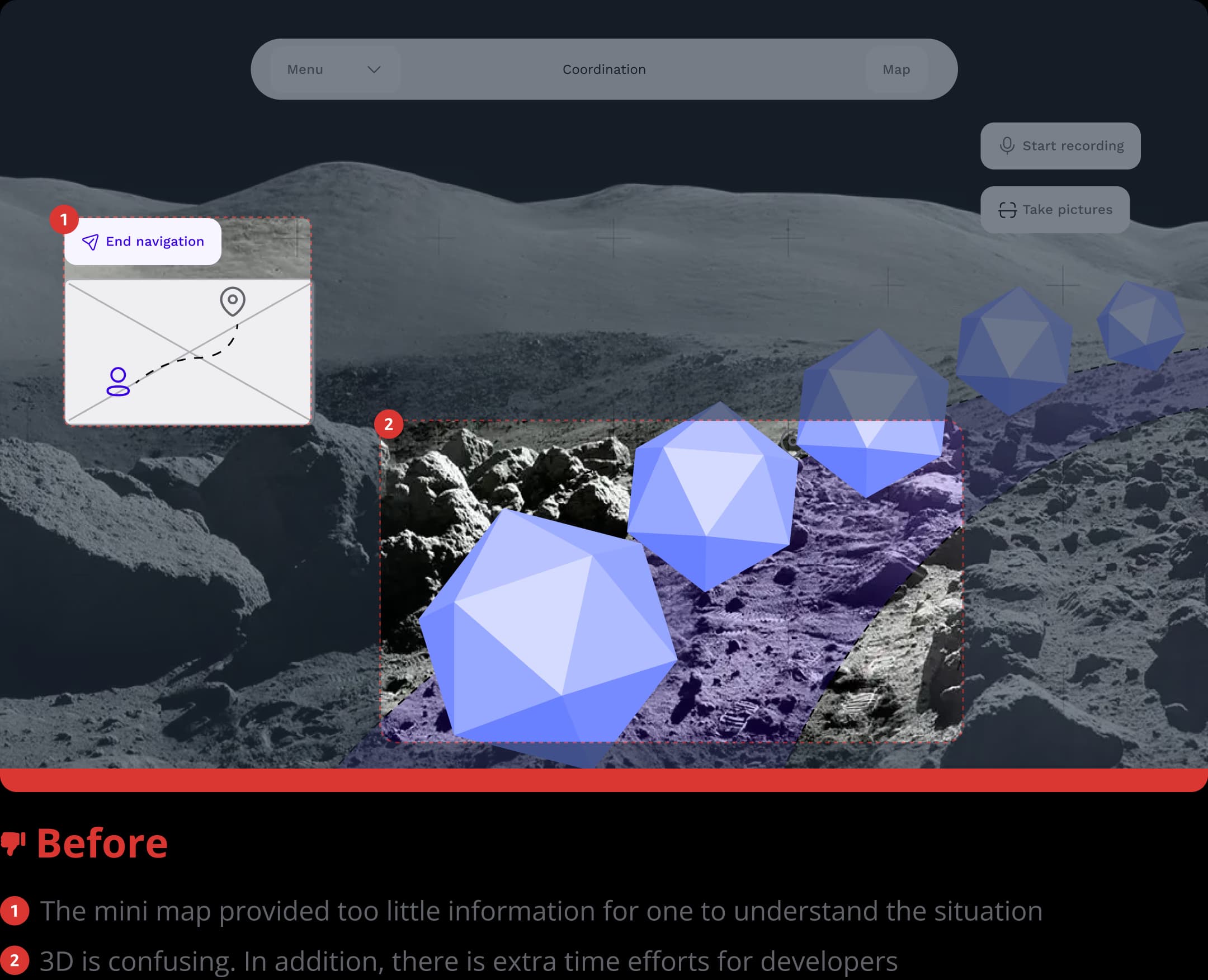
Given the time constraints, I also organized a one-week design sprint to create low-fi mockups and conduct usability testing with five participants. This process helped identify features to iterate at fast-pace while not diving too deep into the designs. Key insights from the usability tests and iterated designs included the following:
Map before and after
Navigation before and after
Egress before and after
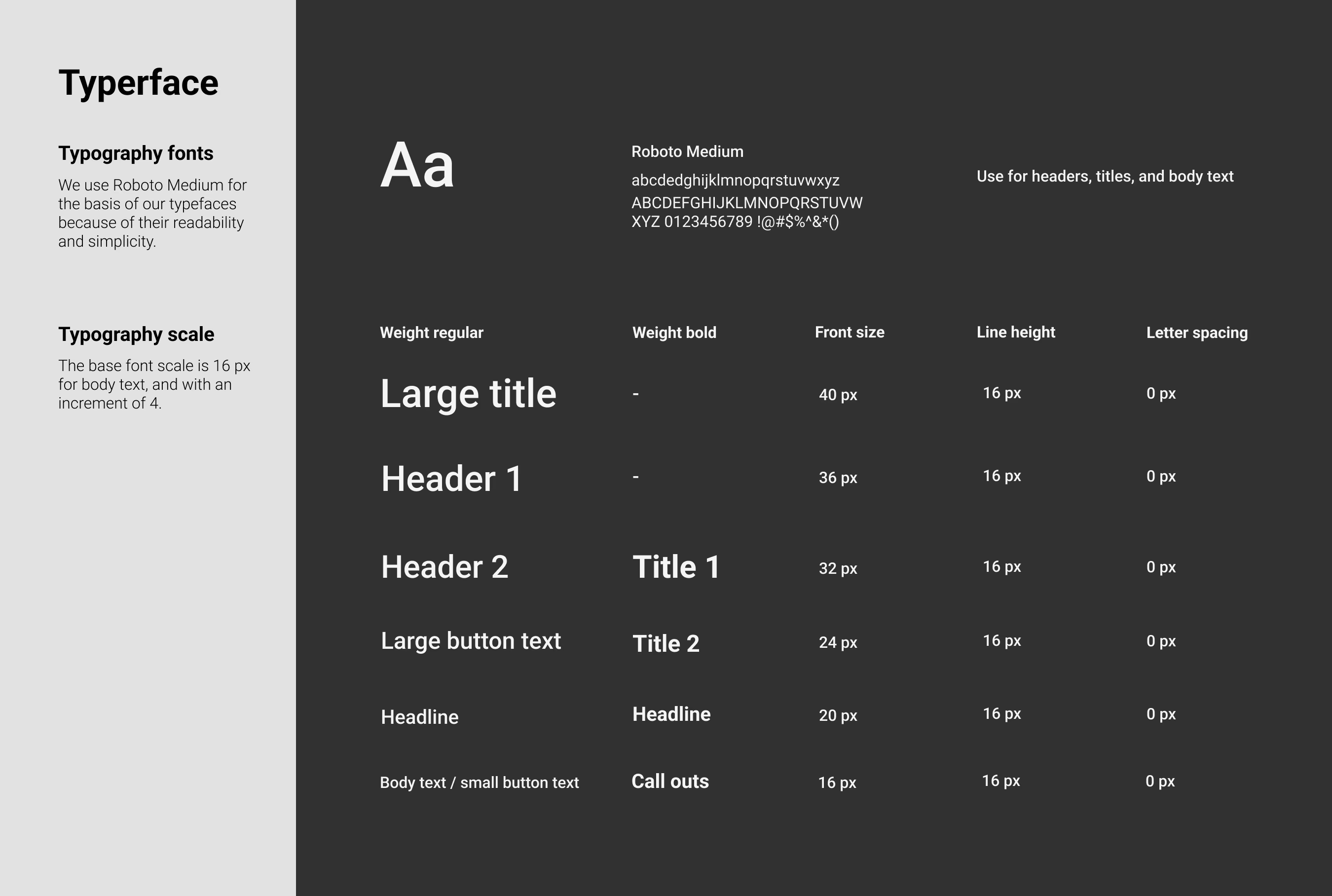
Building a design system
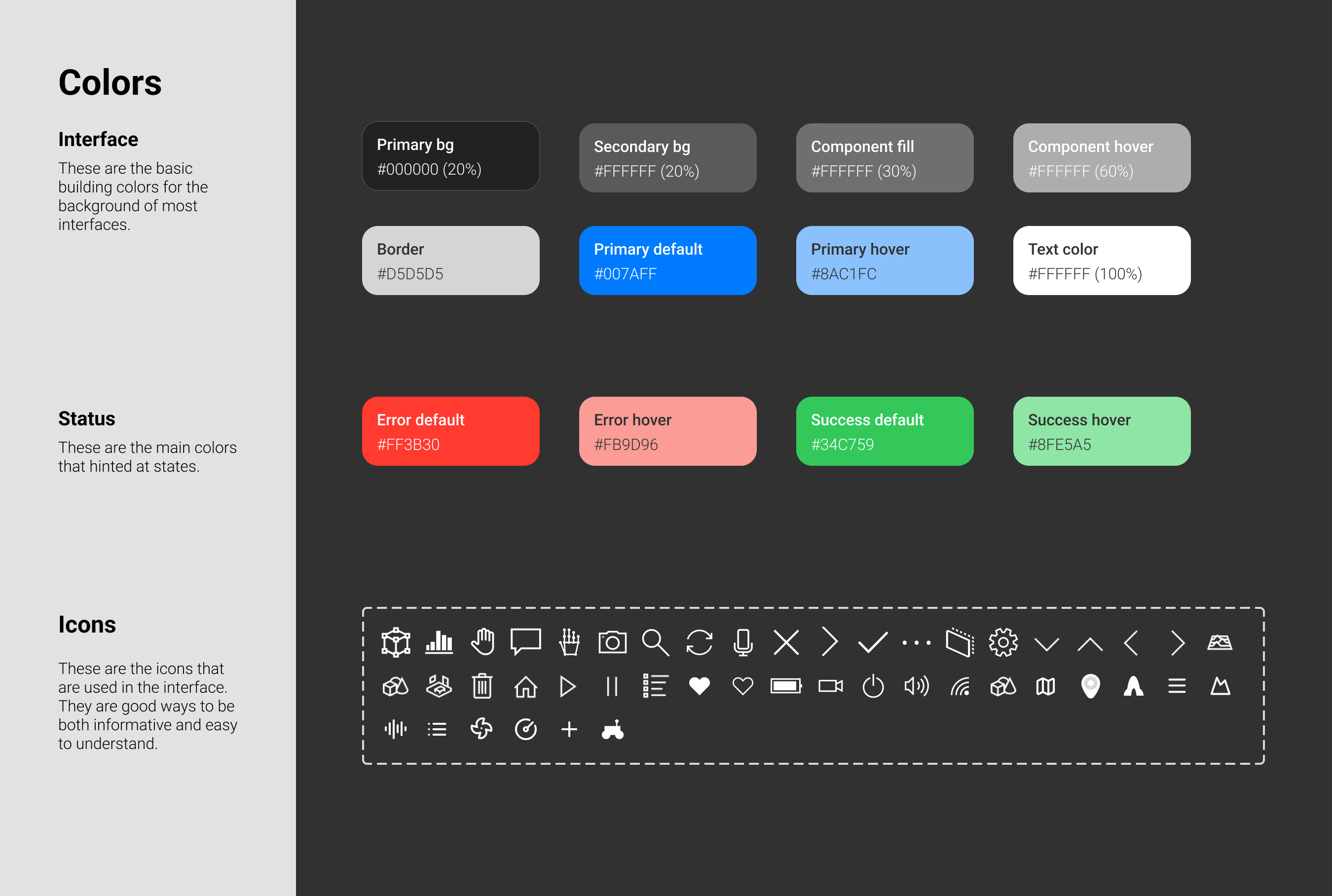
Since we have a tight schedule, we were only able to complete the prototypes with provided Microsoft design system. After the competition at NASA, I used my spare time to created a comprehensive design system that goes beyond what is used in the final design. I built this following WCAG AA accessibility guidelines
Hi-fi designs and flows
In addition, after establishing the design system, I have implemented into the designs and make them in to high-fidelity prototypes with feedbacks from the NASA head quarter.
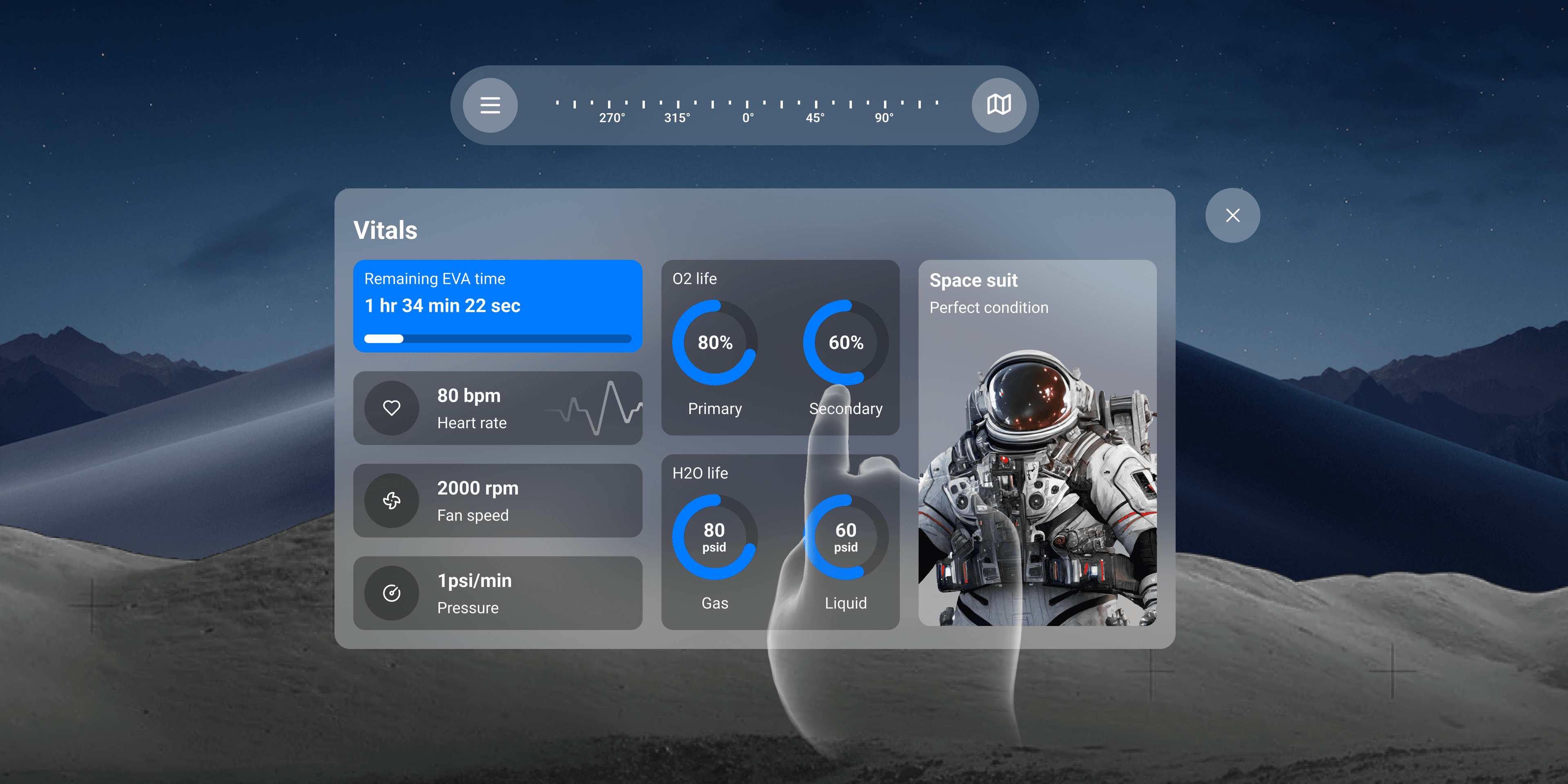
Default home
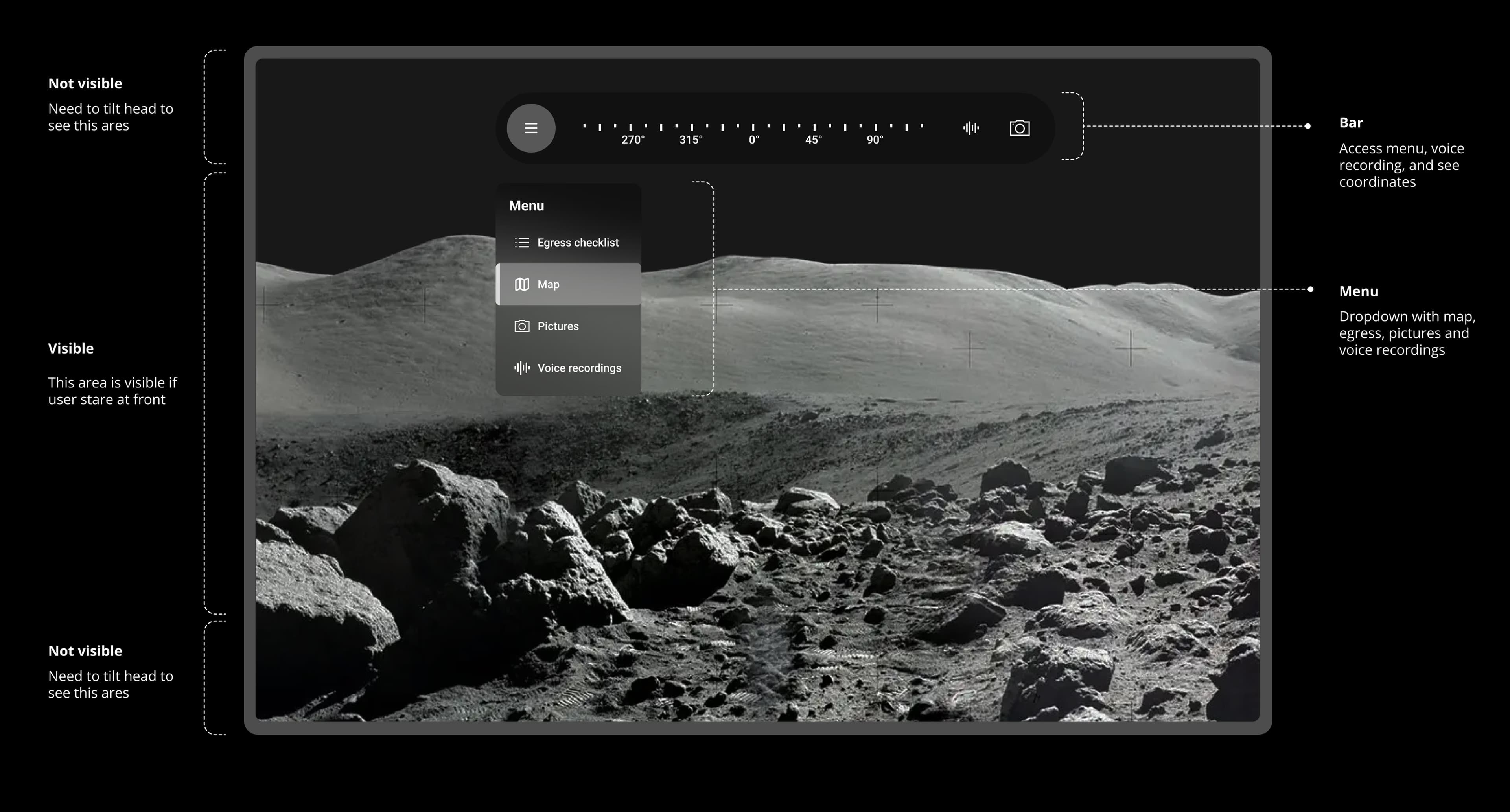
Map
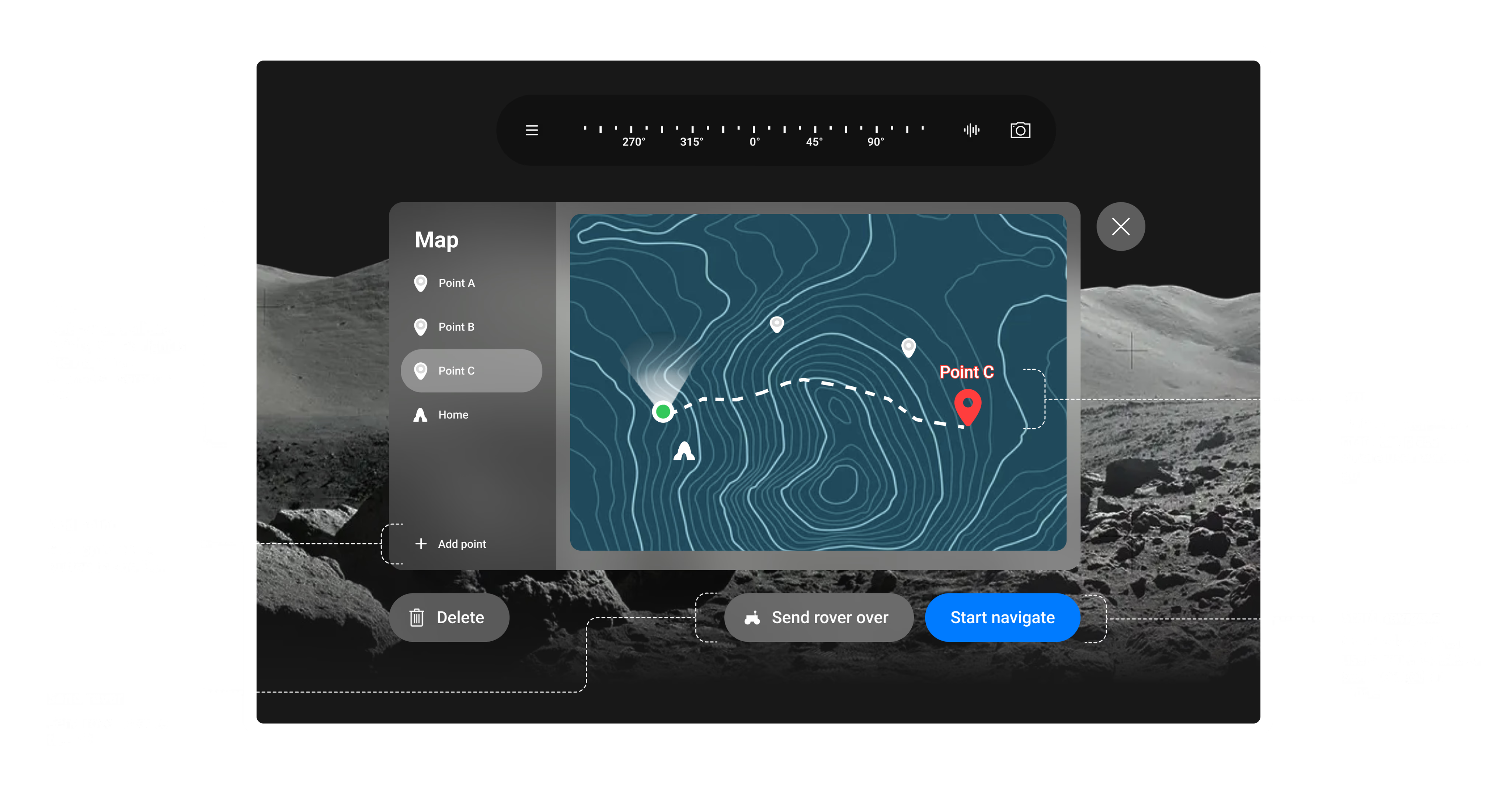
Navigation mode
What are the results of this competition?
Although our team has not been able to implement my extended design system, we were selected as the finalists (1/10 globally) to NASA headquarter and testing onsite.
01
National finalist
We were honored to be accepted as finalists and invited to NASA Johnson Space Center to conduct usability testing and present our work to NASA evaluators and astronauts.
02
Launched project
We successfully developed a tool that allowed our end users to navigate and collect geological samples with perfect accuracy.